
Can’t play the video? Watch here.
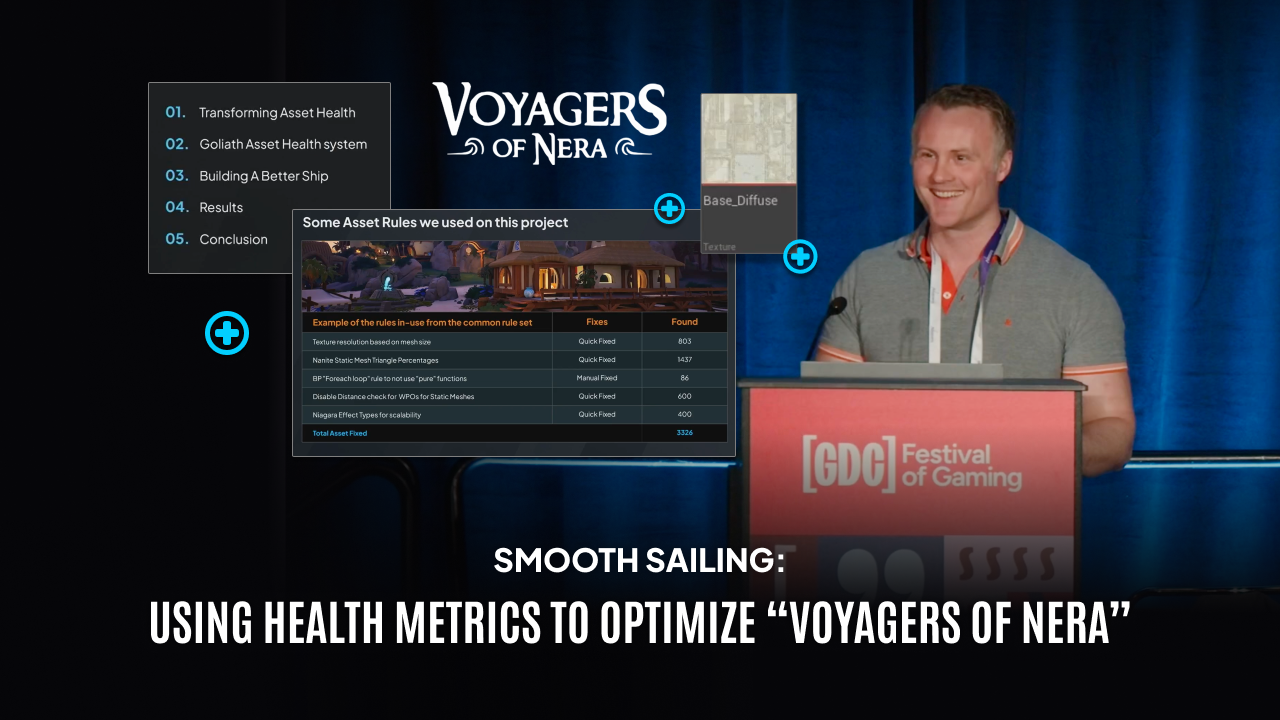
At GDC 2026, Eoin O’Grady, Technical Director at Black Shamrock – A Virtuos Studio, presented a deep dive into Goliath Asset Health, one of Virtuos’ proprietary game optimization tools, and how it was used to optimize Voyagers of Nera, a co-development collaboration between Virtuos and Treehouse Games.
The session explores how the tool gave the team clear visibility on asset health, enabled targeted optimizations, and helped deliver a stable early access release. Eoin walks through how the tool reviews assets for optimal configuration, fixes issues en masse, and covers specific rules implemented for Nanite static meshes, skeletal meshes, textures, blueprints, and more – and how it improved both team efficiency and game performance.
Key Takeaways:
Content optimization debt is a near-universal problem
Across 1,500+ projects, unoptimized assets are one of the most common causes of performance issues. Time pressure means refinement is always deprioritized – assets get into the game, but the step that makes them truly healthy rarely happens.
Visibility is the first step to fixing the problem
Most asset health issues are straightforward to resolve once identified. The challenge is finding them across the large volume of assets. Continuous, automated reporting transforms optimization from a reactive crisis into a managed process.
Automation is the shortest path to good asset health
The Goliath Asset Health tool runs nightly reviews across the entire project and resolves the majority of issues in a single click. On Voyagers of Nera, over 3,000 assets were identified and fixed in the first pass alone.
Context-aware rules deliver more accurate results
Asset rules account for how each asset is used in the game – mesh rules consider every in-game instance, and texture budgets are tied to mesh size categories rather than flat limits. This avoids false positives and keeps fixes meaningful.
Proactive integration outperforms reactive clean-up
The tool delivered significant gains when introduced post-beta on Voyagers of Nera, but the real value is in running validation at submission time – catching and fixing issues before they enter the project at all.
No engine changes required – fully portable and project-configurable
The Goliath Asset Health tool runs as a UE5 plugin with no engine modifications, making it portable across engine versions and straightforward to integrate into any project.
Impressive results for memory and performance
Post-optimization benchmarks showed measurable improvements in GPU performance, memory usage, and render thread times, alongside a significant reduction in hitches. Voyagers of Nera entered early access to great reception.
Talk Chapters:
Intro (00:00 – 03:26)
Eoin introduces himself and Virtuos, outlines the collaboration with Treehouse Games, and sets up the five sections of the talk. He establishes the core problem: performance issues caused by accumulated asset health debt are one of the most common challenges across the 1,500+ projects Virtuos has worked on.
Transforming Asset Health (03:26 – 07:16)
Assets imported via standard DCC pipelines are rarely in a healthy state – excessive MIPs, incorrect compression, missing LOD settings. Refinement gets skipped because there’s always something higher priority. The debt compounds silently until it becomes a crisis. The Goliath philosophy: identify issues automatically, make them visible, and automate fixes.
Goliath Asset Health Tool (07:16 – 09:21)
A walkthrough of the tool’s four components: a web-based dashboard for project-wide visibility, a UE5 plugin with configurable rules covering vertex counts, texture resolution, LODs and more, a backend storing all review data persistently, and nightly CI/CD automation that keeps reports up to date without manual intervention.
Building a Better Ship (09:21 – 16:54)
The story of integrating the Goliath Asset Health tool into Voyagers of Nera post-beta. Eoin covers configuration, the dashboard’s pass/fail/warning reporting, and the Asset Health tool’s quick-fix workflow. He also introduces the proactive approach – running validation at submission time – as the ideal mode for future projects.
Results (16:54 – 19:47)
Over 3,000 assets fixed in the first pass. Texture resolution and Nanite triangle checks improved GPU memory; Blueprint for-each loop rules reduced CPU hitches; WPO and Niagara rules improved render times. Clear gains in GPU performance, memory, and render thread times measured post-optimization.
Conclusion (19:47 – 20:28)
Asset health is a cornerstone of game optimization. Enforcing it throughout development – not as a late-stage pass – is the most effective path to a performant, high-quality game. Automation is what makes that sustainable.
Q&A Session (20:28)
Audience questions cover: how texture budgets are determined by mesh size category; who authors the quick-fix rules and how budgets are calibrated with tech art; how submission-blocking works in practice; confirmation that no engine changes are required; and how texture LOD grouping and LOD bias work together.
Frequently Asked Questions (FAQs):
It accumulates when assets are added to a game without being fully configured for performance. It happens because refinement is always deprioritized once an asset looks good in-engine. The debt builds silently and typically only surfaces as a performance crisis late in production.
Nanite is UE5’s virtualized geometry system; Lumen is its dynamic global illumination solution. Both are GPU-intensive, meaning poorly configured assets can quickly consume memory and frame time. On a game targeting a wide hardware range like Voyagers of Nera, careful budgeting across both systems is essential.
As early as possible. Running validation at submission from the start means issues are caught in minutes rather than accumulating into thousands of assets requiring a dedicated remediation sprint. The Voyagers of Nera case shows significant gains are still achievable post-beta – but early is always better.
Want to implement an asset validation system to automate optimization on your project? Reach out to our team to find out how we can help today.